Know what's ahead.
Get alerted as you approach speed cameras so you can check your speed and follow the posted limit.
A timely heads-up ↗SPEED CAMERA ALERTS. ALL 50 STATES.
Meet your everyday ticket-prevention co-pilot. Get a heads-up before speed cameras, stay aware, and keep your focus on the road ahead.
LESS GUESSWORK. MORE CONFIDENCE.
SLO gives you useful information at the right moment, with alerts that fit the way you drive.
Get alerted as you approach speed cameras so you can check your speed and follow the posted limit.
A timely heads-up ↗Start your session and let SLO run in the background—even when your screen is off.
Built around your drive ↗Choose voice, sound, or vibration and set your preferred alert distance in the app.
Make it yours ↗THE SLO EXPERIENCE
Get to know your radar, background alerts, driving dashboard, and custom settings.
Tap any screen for a closer look.
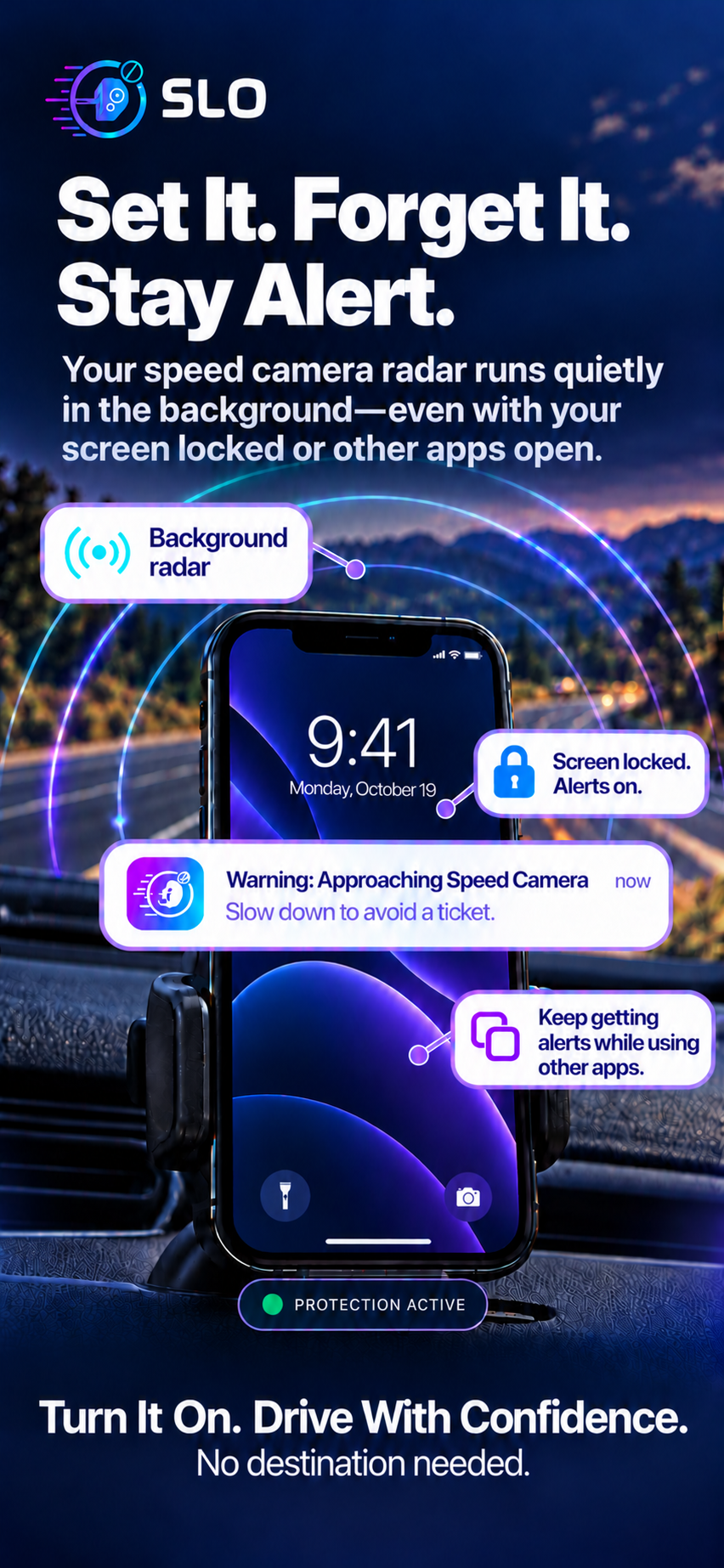
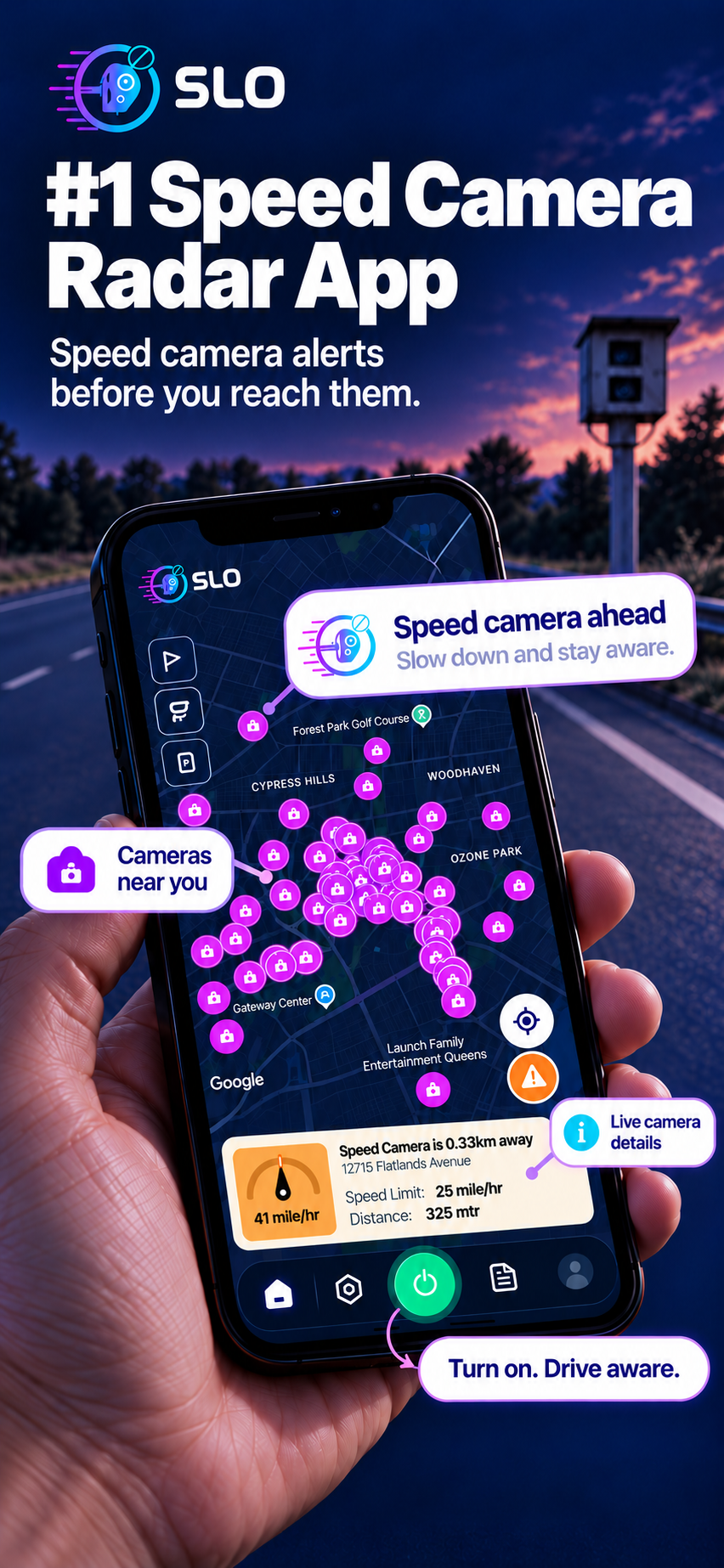
01 / SPEED CAMERA RADAR
Camera locations and alerts, right where you need them.
02 / BACKGROUND ALERTS
Stay informed with your screen locked or other apps open.
03 / SAVINGS DASHBOARD
Review your alerts, driving activity, and estimated savings.
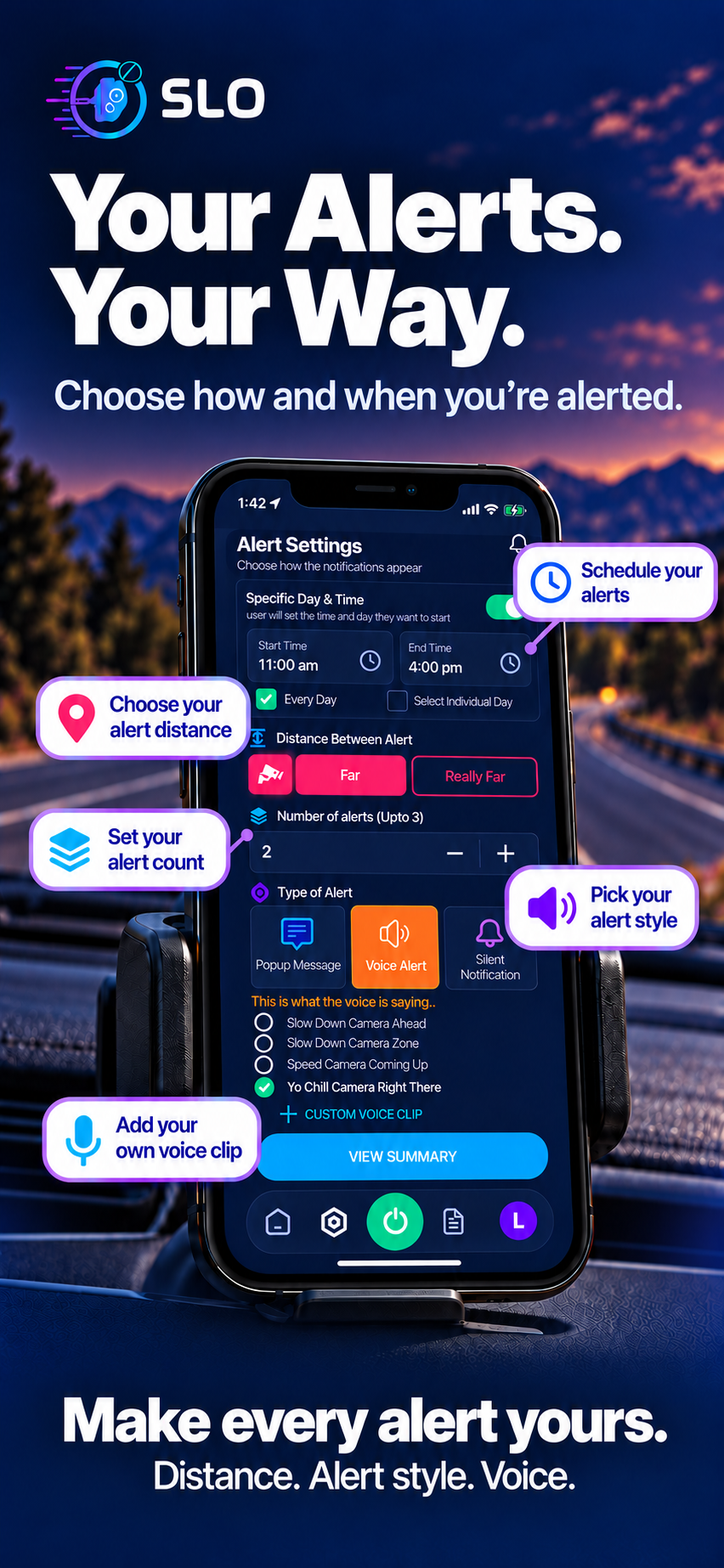
04 / CUSTOM ALERTS
Choose your distance, alert count, style, and voice.
 Your drive.
A LITTLE SETUP. A LOT MORE AWARENESS.
SLO works alongside your drive. Set your preferences before you leave, start a session, and let your alerts do the talking.
Personalize the alerts you receive before you hit the road.
Receive alerts without keeping SLO on your screen.
Review your sessions, cameras passed, and estimated savings in the app.
READY WHEN YOU ARE
Get the app on your iPhone and complete the setup.
Enable the required permissions and choose your alerts.
Tap the power button before driving and let SLO watch for cameras ahead.
GOOD TO KNOW
SLO provides speed camera alerts for drivers across all 50 states. Camera availability and database coverage vary by location.
Yes. Once your permissions are enabled and your driving session is started, SLO can deliver alerts in the background, including when your screen is off.
Yes. You can choose your alert style and preferred alert distance in the app. Make any changes while safely parked.
No. SLO is an awareness tool, and camera data may be incomplete or change. Always follow posted speed limits, traffic laws, and road conditions.
YOUR NEXT DRIVE, UPGRADED
Make SLO your co-pilot for the road ahead.
Get SLO for iPhone